
TiltArc

Utilities · Angle & Inclinometer

Precision angle measurement.

A digital arc level and inclinometer for iPhone with a 0.1° readout. Measure the angle of surfaces and objects, set your own zero and save readings, with no account and no internet.

Coming soon to the App Store

  • iPhone, iOS 17 or later
  • English and Polish
  • Works in landscape

Try it Drag the slider or use the arrow keys to tilt the phone.

Resolution
0.1°
Sensor rate
60 Hz
Range
±90°

01Two views

Two views. One precise sensor.

Arc Level

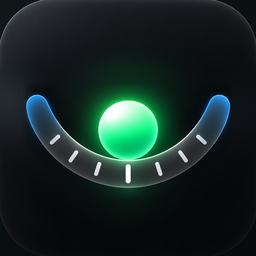
A ball rolls along a shallow curved scale as the phone tilts, just like a classic analog instrument. The lowest point of the arc means level, and the large number shows the exact angle. At level, the ball and the number turn green and the phone gives a short vibration.
Inclinometer

A bright line rotates with the phone and stays level with gravity, above a fixed dashed reference line. The angle between them is your tilt.

Switch views in the menu and choose which one the app opens with. Both use the same calibrated reading.

02Set zero

Measure from your own reference.

Tap ZERO and the current position becomes zero. Every reading after that is measured from there, for example the difference between two surfaces.

A ZERO badge at the top and a small marker on the arc show where your zero is. Press and hold ZERO to return to true level.

03Tilt warning

Knows when the phone is off-axis.

The phone measures best with the screen held upright. When it leans toward or away from you, the scale turns dashed. Lean it further and a badge appears while the number turns grey, so you know the reading is not steady.

The last three saved values stay in the corner for a moment, which helps when you are writing them down.

04Calibration

Calibrate once. Trust every reading.

Your phone, case or holder can shift the reading slightly. Calibrate once on a stable surface you know is level, and the correction is stored and applied to every measurement.

-ZEROCalibration
What it's forOne measurementYour phone, case or holder
How long it lastsUntil you hold ZEROUntil you clear it
Where it appliesOn top of calibrationUnderneath everything, ZERO included

The result is only as good as the surface you calibrate on, so use the most level one you have.

05Saved readings

Save. Average. Export.

Tap + to save a reading. The app saves the average of the last half second, so the small jolt of pressing the button stays out of the result.

Each reading keeps only the date, time, angle and view. Filter by All, Today or 7 days, edit or delete entries, average a selection, or export everything to a CSV file.

ProAverage and CSV export are part of TiltArc Pro.

06Designed for clarity

Made to be read at a glance.

I wanted an angle meter that is as clear to read as a classic analog instrument. So the measuring screen has large digits, a calm dark interface and nothing else.

Shake the phone to open the menu. Saved Readings also opens straight from the Home Screen, by pressing and holding the app icon.

  • Your hand

    The buttons sit on the side of your dominant hand.

  • Precision

    Show values to 0.1° or in whole degrees.

  • Start view

    Open the app in Arc Level or Inclinometer.

  • Feedback

    A vibration, and optionally a sound, confirms ZERO and each saved reading.

07Specifications

Data sheet

Sensors
CoreMotion: accelerometer and gyroscope
Sensor rate
60 Hz
Resolution
0.1°
Range
±90° (the arc shows ±30°)
Device
iPhone with iOS 17 or later
Orientation
Landscape
Languages
English, Polish

Privacy

Private by design

  • No account and no server.
  • No analytics, no tracking, no ads.
  • A saved reading is only a date, a time, an angle and a view.
  • Everything stays on your iPhone.
Read the privacy policy

Price

Free to measure. Pro once.

Free

  • Both views
  • ZERO and calibration
  • 0.1° precision and tilt warning
  • Browse and edit readings
  • 10 saved readings

TiltArc Pro

One-time purchase, no subscription

  • Unlimited saved readings
  • Average of selected readings
  • CSV export

Good to know

  • Needs an iPhone with iOS 17 or later. The app works in landscape only.
  • Calibrate on a surface you know is level.
  • Readings depend on the phone's sensors and on how the phone is placed.
  • Deleting the app deletes all saved readings from the device.

Coming soon to the App Store

Questions or ideas? Write to me